
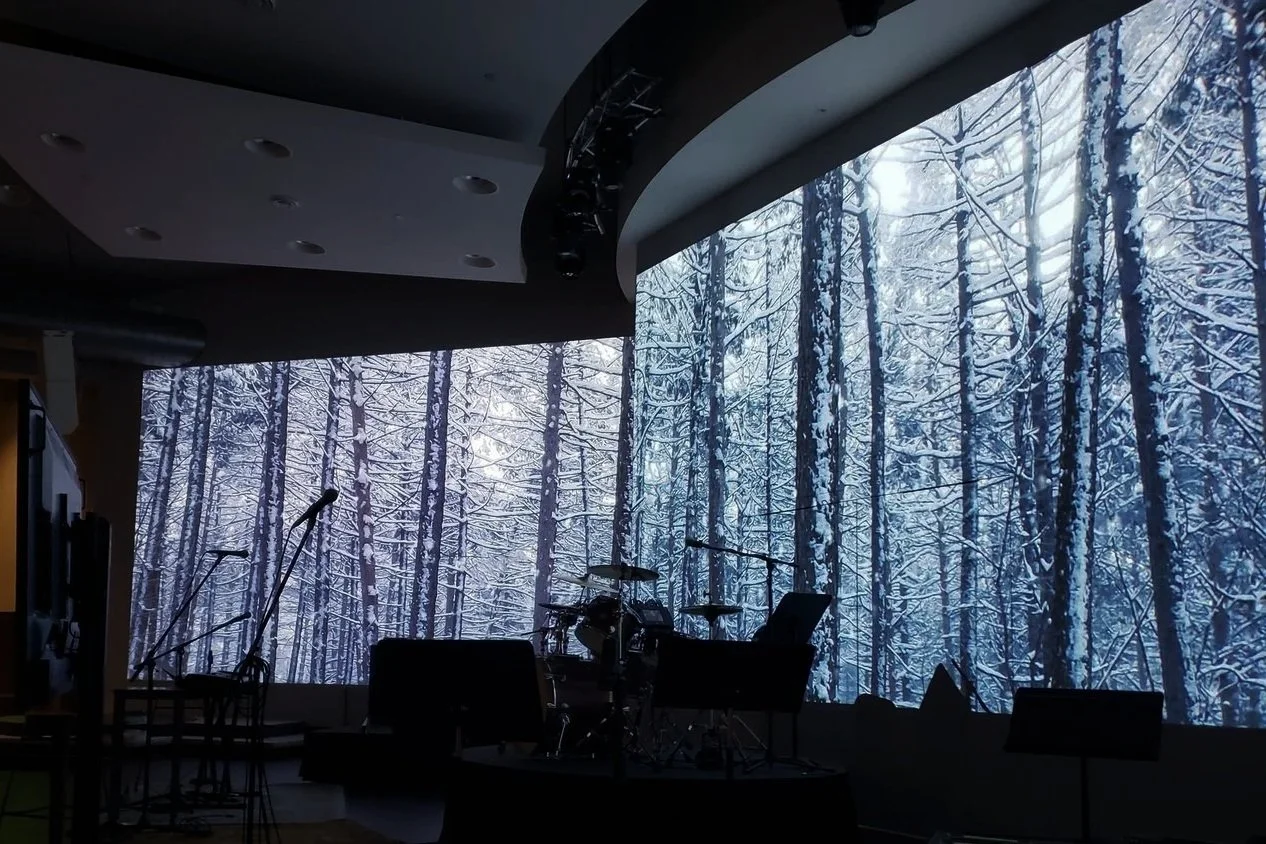
ASC Designed/Installed a 6-Projector Video System at Jacob’s Well.
Christmas, Easter, and Crisis are the biggest calling-card opportunities for the Christian Church. Statistically, Christmas Eve services draw the largest crowds. The room is fuller, the program is longer, and more people are on stage. More family members watch the livestream. It’s the church’s calling card to the local community.
Take this time to inventory your system to make sure you have what you need. Test gear you haven’t used recently. Conduct preventive maintenance. Book your rentals ASAP. Christmas is the busiest time of the year for audio and video rentals. Christmas is also very busy for service providers. Many wait until the last minute to call for help. We typically receive calls the day before and on Christmas Eve.
The good news is that most Christmas tech problems can be prevented, and nearly all of them show up during a careful check weeks before. This checklist is organized by timeline so your team can work through it without a last-minute scramble.
Why Start Your Christmas Tech Prep Now
Integrators, rental houses, and suppliers all get busy in December, and holiday shipping is slower. If you find a problem in mid-November, you can fix it calmly. If you find it on December 23rd, you're stuck with an expensive workaround, if one is available.
Inspect the System You Have
Sound system
Walk the facility during a normal service or a playback test and listen to the speaker systems in the main auditorium, overflow, halls, nursery, classrooms, exterior…anyplace you are sending audio. Listen for distortion (cracks, pops, hums, buzzes) and differences in sound quality between similar speakers. Make sure you have high, mid, and low frequencies.
Check for fault, clip, or other status lights. Make sure all equipment is clean inside and out, removable filters are cleaned and replaced, and cooling fans run quietly.
If you have digital processors or a digital mixing console, confirm that your console scenes or snapshots are backed up to a USB or network drive.
Microphones and RF
Wireless microphones cause more holiday problems than any other single part of the system. Count every wireless channel you plan to use on Christmas Eve, including the guest soloist, the narrator, and the kids' program. Then compare that number to what you own and what has been coordinated to work together. If you are adding units, rent or buy them early so you can coordinate their frequencies with your existing system.
Battery plan: Get rechargeable packs charged and tested, or a fresh supply of disposables. Purchase enough batteries to change them at each service.
Headset, earset, and lapel mics and cables. Most churches don’t treat these items as disposables and use them long past their lifespan. These items degrade faster than any other component from use and abuse. Have mics and cables. If your microphones do not have removable cables, order replacements now. If you are not purchasing mics with removable cables and connectors, call us now. 816-931-9525.
Cables, snakes and connections
Pull out every cable you'll use for Christmas and test it with a cable tester. Shake those cables and connectors while they are connected to the tester. Dispose of the ones with issues.
Check all lines connecting the stage inputs. We use lots of tools, but one of the most versatile is the QBox by Whirlwind, an American manufacturer with a factory in New York, which makes durable cable, snakes, and testers that hold up to this kind of seasonal workload. If you need some, call us.
Check all lines connecting to amplifiers, active speakers, assisted listening transmitters, recorders, computers, video switchers, etc.
Power
Christmas setups often add lights and extra equipment to circuits that weren't planned for them. If possible, plug all of the temporary Christmas production items into different circuits (not just different receptacles). If the numerous extension cables and chained power strips cause the circuit breaker to trip, only those items will be affected.
Avoid undersized and long extension cables. Avoid chaining power strips. If breakers have tripped during past Christmas services, have it looked at now.
All of the audio, video, lighting, and musical equipment should have power protection, conditioning, and sequencing. Furman, Juice Goose, and LynTec make products for this purpose.
What's Different About Christmas
Extra inputs and a bigger stage
Make a written input list for the Christmas program, even if your regular team never uses one. Include every microphone, instrument, and playback source. Then compare that list to the number of console channels and stage-box inputs you actually have. Plan where each input will physically plug in, and where the extra monitor mixes will come from.
Lighting, effects, fog, haze, and anything that hangs overhead
Test every fixture you plan to use, including the ones that only come out at Christmas.
Build and save the lighting looks ahead of time so the operator recalls presets rather than building scenes live. LED fixtures from manufacturers like Chauvet Professional make it easier to get warm candle-like tones and colorful stage looks from the same rig.
If you use haze, coordinate with your facilities team and fire alarm provider about detector types, chemical incompatibilities, and procedures before the first rehearsal, not on the night. Otherwise, you could have fire alarms going off and fire trucks dispatched during your production.
Anything temporarily hung over people — truss, lights, speakers, decorations — needs to be installed with rated hardware by someone qualified to do it.
Video, lyrics, and the livestream
Video quality is connected to the lighting. If the lighting design is poor, there is little the video volunteers can do to make the white and colors look the same regardless where the camera is aimed.
Load and proofread every lyric, scripture slide, and countdown video in advance. Grammarly is your friend. Use it! Have a backup copy on a second computer or drive.
Run a private test livestream of the service rehearsal. Watch it on a phone and a TV, not just in the booth, and listen closely to the audio. Many online viewers judge the stream mostly by how it sounds.
Confirm your internal network and internet upload speeds are sufficient for your needs. If anything changes with your network, account, or internet service provider, test this ASAP. Many churches do not have a network administrator. We constantly get calls from churches with streaming issues that start all of a sudden. Someone makes a change, and no one on the tech team gets notified.
Rehearse Like It's the Real Thing
Hold at least one full technical rehearsal with the actual program in order, the actual people on stage, and the actual volunteers in the booth. This is not rehearsal time. This is not a time for musicians and actors to start and stop multiple times or work out their marks on stage. This is a non-stop run-through.
Adjust audio, video, and lighting as needed.
After the rehearsal:
Update the cue sheet with every change, and print copies for the audio, lighting, video, and stream operators.
Label everything: console channels, wireless packs, stage-box inputs specifically for the production. The equipment will be used again for normal services. You need a fast way to reset. Make it easy for anyone to help.
Decide who to call if something breaks, and put that number somewhere everyone in the booth can see it.
Day-Of Checklist
Power everything up early, in the right order.
Line check every input and every wireless mic with fresh or fully charged batteries.
Recall saved console, lighting, and video presets. Don't rebuild them.
Start a test stream before guests arrive and confirm it on a separate device.
Keep spare cables, batteries, a spare handheld mic, and gaffer tape within reach of the booth.
Afterward, write down what went well and what didn't while it's fresh. That list becomes next year's checklist.
Frequently Asked Questions
When should a church start preparing its AV system for Christmas?
Ideally 12 weeks out. That leaves time to order parts, rent extra wireless channels, schedule a service visit, and train volunteers on anything new.
Should we rent extra equipment or buy it for Christmas?
If you need gear only once or twice a year, renting often makes more sense. If you rent the same wireless mics or lights every Christmas and Easter, it may be time to add them permanently. We can help you compare the two.
How do we keep the livestream sounding as good as the room?
The room and the stream need different mixes. Test the stream on headphones and on a TV before the service, and consider a separate broadcast mix in a separate space. Clean, steady audio matters more to online viewers than a perfect picture.
What's the most common Christmas tech failure?
Wireless microphones, usually because of batteries, cable connectors, or too many wireless channels that weren't coordinated. A battery plan and early frequency coordination prevent most of these problems.
Get a Pre-Christmas System Checkup in Kansas City
Advanced Sound & Communication has designed, installed, and serviced church sound, video, and lighting systems around Kansas City since 1998. Our in-house technicians can inspect your system before the holidays, help you plan extra wireless or lighting for the Christmas program, and fix weak spots so your team can focus on the service, not the equipment.
Contact us now at 816.931.9525 to schedule a pre-Christmas check while there is still time on the calendar.