
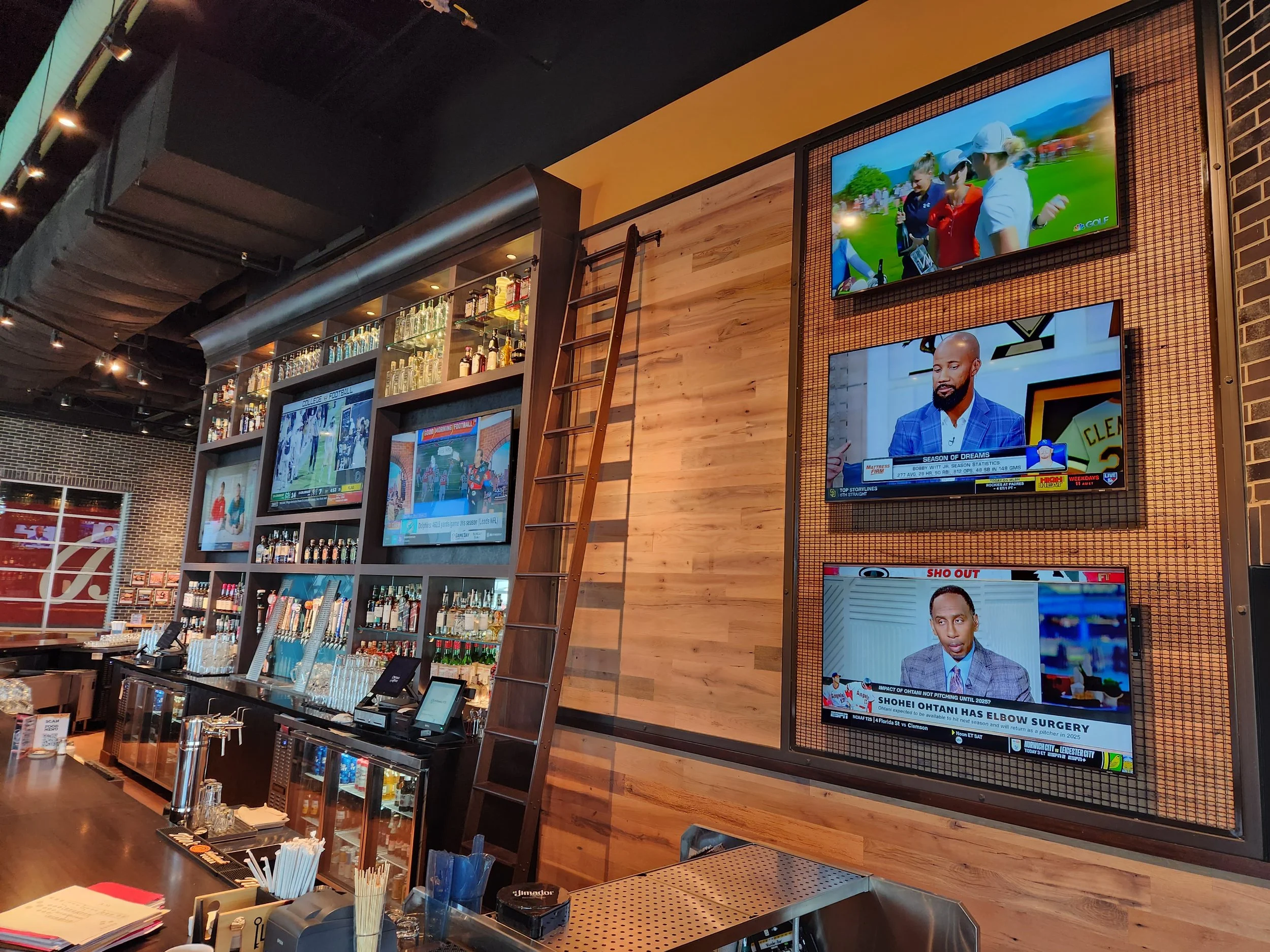
It's the fourth quarter, the Chiefs are driving, and half your bar can't hear the game because the speakers are still playing the college matchup on the back wall. A server is hunting for the right remote. One TV is stuck on a "no signal" screen. Your customers get frustrated, complain, and leave for better-equipped places.
A well-designed sports bar TV system fixes all of that before kickoff, so staff can put any game on any screen, send the right audio to the right room, and get back to serving happy customers who stay longer and spend more.
This guide explains how modern successful sports bars and restaurants distribute video, why AV-over-IP has become the go-to approach for venues with lots of screens, how to plan audio zones, what "simple control" really means for your staff, and why a big LED wall is now within reach for more venues than ever.
Start With a Program Schedule, Not a TV Count
The most common mistake is starting by counting TVs. A better question is how many different programs need to reach which screens. Twenty TVs showing five games is a very different system from twenty TVs showing twenty games.
Before talking about equipment, sketch out:
Sources. Cable or satellite receivers, streaming players, a music service, a digital menu board player, and maybe a camera or microphone for trivia night or a small stage.
Displays. Every TV, projector, and video wall, and where each one hangs.
Zones. Main bar, dining room, patio, party room, restrooms. Which games and which audio belong where?
Peak days. What does a playoff Sunday or a tournament weekend look like compared with a Tuesday lunch?
Make sure your cable, satellite and streaming subscriptions are set up for commercial use. Your provider can tell you what each receiver is licensed for.
Why AV-over-IP Has Become the Standard for Bars
Traditional systems used an HDMI matrix switcher: a box with a fixed number of inputs and outputs. That still works for a small, fixed setup. But once you have dozens of screens, or you plan to add a patio or party room later, a matrix runs out of ports and becomes expensive to expand.
AV-over-IP sends video over a dedicated Ethernet network instead. Each source plugs into an encoder, each screen gets a decoder, and a managed network switch connects them. Any source can go to any screen, one game can play on 40 TVs at once, and adding a screen usually means adding one decoder and one network cable rather than replacing the switcher.
AV-over-IP families we design with
AVPro Edge MXnet. AVPro Edge is headquartered in Sioux Falls, South Dakota, and its parent, AVPro Global, describes itself as a privately held American company. Its MXnet ecosystem includes 1G and 10G families of encoders, decoders, network switches, and control boxes designed to work together out of the box. Sports venues are a proven fit: AVPro's case study on Let It Fly, an upscale sports bar and grill in Sioux Falls, describes MXnet feeding 80 displays so live sports are visible from every angle. At the other end of the scale, AVPro reports that its 10G MXnet system at Mexico City's Estadio Banorte, a 2026 World Cup venue, drives more than 500 displays and over 20 video walls on a single network.
Aurora Multimedia IPX and ReAX. Aurora is based in Morganville, New Jersey, and its CEO said the company builds many products in-house at its New Jersey headquarters on its own electronics assembly line. Aurora's IPX Series is a 10G SDVoE platform that carries 4K60 4:4:4 video over fiber or copper, and each IPX unit can be set as either an encoder or a decoder, which simplifies spare parts. Option slots add Dante audio and Aurora's ReAX control. ReAX is web-based: the control pages live on a built-in web server, so a phone, tablet, PC, or Aurora touch panel with a browser can run the system, and Aurora's control processors add the serial, IR, and relay ports needed to tune receivers and power TVs.
PlexusAV. PlexusAV is Sencore’s professional AV division, a broadcast technology company in Sioux Falls, South Dakota, with more than 70 years of broadcast experience. PlexusAV is built on IPMX, an open AV-over-IP standard, so it isn't tied to a single manufacturer's proprietary format. Its IPMX-certified P-AVN-4E encoder and P-AVN-4D decoder deliver ultra-low-latency video, and the lineup now includes the P-AVN-VA management and control system and a line of IPMX speakers. For an owner, an open standard means more choices when the system grows, or a piece needs replacing years from now.
Q-SYS (NV and NVM Series). Q-SYS, developed by Southern California's QSC and now part of Atlanta-based Acuity, is a single platform for audio, video, and control. That's a big advantage in a bar, where the same system can route games, run the audio zones, and drive the staff touch screen. Q-SYS notes that hospitality and entertainment spaces typically have far more screens than sources, and it uses the sports bar (a handful of satellite receivers in a back closet feeding displays throughout the building) as a textbook example. Its NV-21-HU endpoint carries up to 4K60 4:4:4 video, and the newer NVM Series is purpose-built for large-scale video deployments in entertainment and hospitality.
Visionary Solutions PacketAV. Santa Barbara, California-based Visionary built its PacketAV Duet Series to carry 4K video and Dante/AES67 audio over standard 1-gigabit Ethernet with Power over Ethernet, which keeps network and cabling costs down. Visionary rates Duet latency at about one frame (17 milliseconds at 1080p60). In hospitality, Visionary's PacketAV platform connects more than 2,000 endpoints at Resorts World Las Vegas, and at Goldfield Trading Post, a bar, restaurant, and live-music venue in Roseville, California, integrator CTM Sound paired PacketAV with Q-SYS to handle everything from game-day parties to UFC fights.
Which one is right? It depends on screen count, picture-quality goals, whether you want 1G or 10G, and how the video system needs to work with your audio and control. We'll recommend a platform after we've seen your floor plan and program schedule.
Audio Zones: The Game on the Screen Isn't Always the Game You Hear
Video gets the attention, but audio decides whether a busy night feels exciting or chaotic. In most bars:
The main bar carries the marquee game audio at a lively level.
The dining room runs background music or a quieter game feed so tables can talk.
The patio gets weather-resistant speakers on its own volume control, and may need to stay quieter late at night.
Party rooms need their own source and volume so a private event doesn't fight the main room.
Restrooms and hallways typically carry background music.
A digital signal processor (DSP) routes each source to each zone. Q-SYS is a natural fit because the same core that handles video and control also runs the audio: game feeds, music, paging, and microphones all live in one system with one set of presets. Because Visionary PacketAV, Aurora IPX, and AVPro Edge endpoints can pass audio to a Dante network, you can pull sound from any game off the video stream and send it to whichever zone needs it.
Good audio design also means the right speakers in the right places. Ceiling speakers spaced for even coverage, subwoofers for game-day energy, and pendant speakers in open-ceiling spaces all matter. (Our post on restaurant sound systems covers that side in more detail.)
Simple Control: Designed for Staff, Not Engineers
The best system in the world fails if a new server can't change a channel at 6:55 p.m. on a Friday. Good control design means:
One interface. A tablet, touchscreen or wall panel that shows a floor plan of your screens and a list of sources with plain names like "ESPN – Bar," not "Encoder 07."
Presets for big days. One button sets up "Chiefs Sunday": the game on every screen and the LED wall, game audio in the bar and patio, music in the dining room. Another sets up "Lunch."
Channel control from the same screen. Tuning the cable and satellite boxes from one interface means no more stacks of remotes.
TV and LED wall power. Turning everything on at opening and off at closing with one button.
Lockouts. Managers get full control; staff get only the buttons they need.
Q-SYS user interfaces run on Q-SYS touch screens, phones, and tablets, and Aurora ReAX serves its control pages to any device with a web browser. AVPro Edge MXnet and PlexusAV include management and control tools for routing, and both can be tied into a larger control system. We design the control layer around how your staff actually works, then train your team before opening night.
The Big Screen: Why LED Walls and Large Displays Make Sense Now
A few years ago, a direct-view LED wall was a luxury for stadiums and casinos. That has changed. Market research firm TrendForce reports that LED video wall prices have been declining, and manufacturers now offer all-in-one LED kits and entry-level product lines that cut both purchase price and installation time. For a sports bar, the benefits are hard to ignore:
No seams. Unlike a grid of TVs, an LED wall has no bezels running through the score bug or the quarterback.
Brightness. LED holds up in bright rooms with big windows or a garage-door patio opening, where ordinary TVs wash out.
Several games on one wall. A processor can split one big canvas into two, four or more windows, then go full-screen for the big moment.
Long life and easy service. You can replace modules individually instead of swapping the whole TV.
Any shape. LED can be built wide and short over a back bar, or curved around a column.
Absen. Absen's iCon X V2 all-in-one displays come as a complete kit, with the controller, power and audio built in, in sizes such as 136 inches using COB (chip-on-board) Micro LED at a 1.56 mm pixel pitch. That turns a "video wall project" into something much closer to hanging a very large TV. Absen's 2026 lineup also adds new commercial and hospitality-focused series, including slim PO Series displays aimed at retail and hospitality spaces.
Nanolumens. Nanolumens is an American LED manufacturer that marked its 20th anniversary in 2026 by opening a new 45,000-square-foot headquarters in Duluth, Georgia. In January 2026, it expanded its entry-level NXT Series with chip-on-board models and pixel pitches from 0.9 mm to 3.75 mm, positioning it as a cost-effective way to get large-format LED on a budget; its cable-less modules snap in and out for service. Nanolumens also has sports bar experience: its 24-foot-by-5-foot, 1.8 mm LED wall anchors The Golden Circle sports bar at Treasure Island in Las Vegas, alongside more than 20 HDTVs.
Sony Pro. For screens that aren't LED walls, Sony launched its BRAVIA Professional Displays BZ-P Series in 2026: 16 new 4K HDR models across three tiers, including the 98-inch BZ53L. Commercial displays are built for long daily run times and central control, a real advantage over consumer TVs in a bar that runs screens 12 or more hours a day. On the LED side, Sony's new Crystal LED UNIFY is a 135-inch all-in-one LED display that ships as five pre-assembled units plus a control unit, and the Crystal LED S Series brings Sony's anti-reflection LED technology to a mid-market price tier at about 4.5 inches deep.
Choosing pixel pitch and size. Pixel pitch is the distance between LED pixels; smaller numbers look sharper up close but cost more. A common rule of thumb is that the pitch in millimeters roughly matches the closest comfortable viewing distance in meters, so a wall seen from 10 feet or more rarely needs ultra-fine pitch. For TVs, AVIXA, the AV industry's trade association, publishes the Display Image Size for 2D Content standard (DISCAS), which ties screen size to viewing distance and to how much detail viewers need to read. We use both to size screens so a game is readable from the back booth, not just the bar stools. Large LED walls also need proper structure, power, and ventilation, which is where certified rigging and a planned electrical layout matter.
A Sports Bar AV Planning Checklist
List every source and every screen, and group screens into zones.
Plan your busiest day first: how many different games at once?
Choose matrix or AV-over-IP based on screen count and growth plans, and 1G or 10G based on picture-quality goals.
Plan a dedicated, managed network for AV with spare ports.
Design audio zones with independent volume for bar, dining, patio and private rooms.
Decide where an LED wall or 98-inch-plus display would have the biggest impact, and size it for the farthest seat.
Build presets and a simple control interface, and train staff on it.
Confirm your subscriptions are licensed for commercial use.
Arrange a service plan so a failed receiver or decoder doesn't sit dark through a playoff weekend.
Why Work With Advanced Sound & Communication
Advanced Sound & Communication has designed, installed, and serviced audio, video, lighting, security, and control systems in the Kansas City area since 1998. We're the sister company of Big Dude's Music, Kansas City's oldest privately owned music store, founded 50 years ago. Our team of about ten full-time employees averages about ten years with the company, and every member is background-checked, insured, and bondable; we never use volunteers, students, or subcontracted labor. Our in-house analog and digital technicians support what we install, and our mobile repair shop and tool truck reach restaurants and bars across the metro, from Westport and the Crossroads to the Northland and Johnson County. Our certified riggers and OSHA-trained crew handle LED walls, TV mounts, and overhead speakers safely, and we're an authorized dealer for everything we sell, including AVPro Edge, Aurora Multimedia, PlexusAV, Q-SYS, Visionary Solutions, Absen, Nanolumens, and Sony.
Let's Plan Your Game-Day System
Opening a new sports bar, adding a patio or an LED wall, or tired of the Sunday remote-control scramble? Call Advanced Sound & Communication at 816.931.9525, email info@advancedsoundkc.com, or use our contact form. Send us a floor plan or a few photos and a list of your current TVs and sources, and we'll suggest a plan for video distribution, audio zones, displays, and control. Learn more about our design, installation, and service work, or browse video distribution, display, audio, and control products in our Pro AV Catalog.