
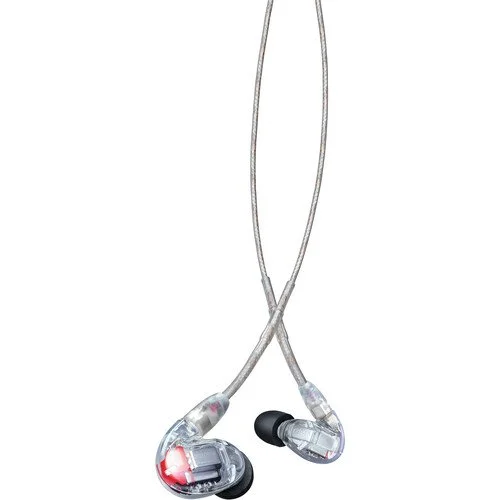
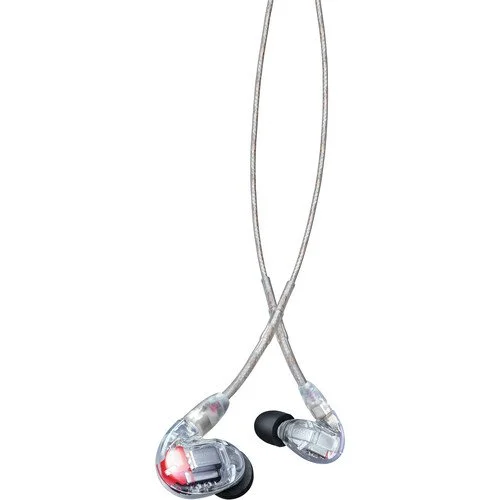
Monitor mixes make or break performances. It’s easy for us to notice singers monitoring too loud or soft because of their pitchiness. It’s common to see musicians quickly pulling one or more in-ear monitors (IEMs) from their ears. It’s impossible to walk away from a bad sounding mix when it is stuck in ear canals. In-ear monitors may seem like they should be cheap and easy to use. Why do so many people have issues with them?
How the Ear Works, in Three Stages
The outer ear collects sound. The visible part of the ear (the pinna) and the ear canal funnel sound waves toward the eardrum. The shape of the pinna also colors incoming sound slightly differently depending on direction, which is part of how we tell whether a sound is in front of us, behind us or above us.
The middle ear turns air pressure into motion. The eardrum vibrates, and three tiny bones (the malleus, incus and stapes) pass that vibration to the inner ear, concentrating it so it can move the fluid inside.
The inner ear is where hearing happens. The cochlea is a snail-shaped, fluid-filled tube lined with the basilar membrane and roughly 15,000 sensory hair cells. Different places along the membrane respond to different frequencies: the end near the entrance responds to high frequencies, and the far end to low frequencies. When a spot vibrates, the hair cells there send signals up the auditory nerve, and the brain reads where the cochlea is vibrating as pitch. Healthy young ears hear roughly 20 Hz to 20,000 Hz.
One fact matters more than the rest for anyone who performs: human hair cells do not grow back. Once a loud sound damages them, that part of your hearing is gone. Noise damage usually shows up first in the 3,000 to 6,000 Hz range, which is exactly where the clarity of consonants and the bite of a vocal live.
How We Hear Pitch
Pitch is the brain's response to frequency. Voices and instruments are not single frequencies. They contain a fundamental plus a series of overtones (harmonics), and the brain uses the whole pattern to decide what note it is hearing. That is why you can still recognize a bass line through a small speaker that can't reproduce its lowest frequencies: the overtones carry the pitch.
The ear is very precise. A trained listener can detect a pitch difference of about 5 cents (one-twentieth of a half step) under good conditions. That precision depends on hearing the note clearly. When a voice is buried in a loud, muddy mix, the brain has less information to work with, and pitch accuracy suffers.
How Pitch and Tone Change With Volume
Volume changes what we hear in two ways:
Loudness changes the tonal balance. Our ears are most sensitive in the midrange and much less sensitive to low bass and the highest treble, especially at quiet levels. This is described by the equal-loudness contours, sometimes called the Fletcher-Munson curves. Turn a mix down and the kick, bass and air seem to disappear; turn it up and they come back. In a monitor mix, that means the same mix feels thin at a low level and full at a high level, which tempts performers to keep turning up.
Loudness can shift perceived pitch slightly. Researchers have known since the 1930s that a pure tone's perceived pitch can move with its level. The pattern, often called Stevens's rule, is that low tones tend to sound slightly flatter as they get louder, and high tones tend to sound slightly sharper. In one study summarized by Georgia State University's HyperPhysics project, raising the level from 60 to 90 dB made a 200 Hz tone sound about 20 cents lower and a 6,000 Hz tone more than 30 cents higher. The effect is smaller for real instruments, whose rich overtones anchor the pitch, and it varies a lot from person to person.
The practical lesson for singers and musicians: a louder monitor mix is not a more accurate one. A clear, balanced mix at a moderate level gives your ear the best chance to hear pitch correctly, and it protects the hearing you depend on.
How Much Sound Is Too Much?
The U.S. National Institute for Occupational Safety and Health (NIOSH) recommends limiting noise exposure to 85 dBA averaged over an eight-hour day, with a 3 dB exchange rate. Every 3 dB increase cuts the safe time in half:
85 dBA: 8 hours
91 dBA: 2 hours
94 dBA: 1 hour
100 dBA: about 15 minutes
A loud stage with wedge monitors, amplifiers and drums can easily reach the upper end of that range, and a rehearsal plus two services is a long day for the ears. Reducing the level with IEMs is the single biggest thing a performer can do to preserve hearing health.
Why In-Ear Monitors Are Designed the Way They Are
Professional IEMs exist to give a performer an accurate mix at a lower, safer level. Every part of the design serves that goal.
A sealed fit for isolation. An IEM seals the ear canal, either with foam or silicone tips or with a custom shell molded from an impression of the performer's ears. The seal provides isolation and prevents feedback between the IEMs and microphones, We hear conductively, so perfectly sealed IEMs won’t block all low-frequency noise. But, the mix can run quieter and still be heard clearly.
Drivers tuned for accuracy. Many pro IEMs use one or more balanced armature drivers, small dynamic drivers, or a hybrid of both, often with a crossover that sends each frequency range to the driver best suited for it. The goal is an even, detailed response from the low end through the high frequencies, so a performer hears pitch, timing and tone as they really are.
A shape built for performing. IEMs sit low in the ear, and the cable usually loops over the top of the ear and runs down the back. That keeps them in place while a performer sings, moves, plays and sweats, and keeps the cable out of the way of guitars, keyboards and drum sticks. Cables are typically detachable and replaceable.
Part of a monitor system, not a stand-alone gadget. IEMs plug into a wired headphone amplifier, personal monitor mixer, or a wireless bodypack receiver. Wired systems provide the least amount of latency, which is ideal.
A stereo mix. It is best to monitor in stereo, or immersive. Panning instruments and voices to different positions makes each one easier to pick out, so the performer doesn't need to turn the whole mix up to hear one part.
What Separates Pro IEMs From Consumer Earbuds
Consumer earbuds and professional IEMs can look similar, but they are built for different jobs. Consumer earbuds often flatter recorded music, usually with boosted bass and treble. IEMs can have a more even, accurate response. Bluetooth and USB-C are common methods of connecting consumer buds. IEMs require the lowest latency and uncompromised audio, so they use 3.5mm stereo TRS plugs. IEMs need to seal the ear canal. Consumer buds do not always seal well. Consumer ear buds have auto-pause, ear detection, voice prompts, transparency modes and onboard EQ can change or interrupt the sound.
Why Professionals Shouldn't Use Consumer Earbuds on Stage
Latency throws off timing. Bluetooth adds a delay between the sound and your ears that ranges from tens to hundreds of milliseconds, depending on the device and codec. Performers can feel even a few milliseconds of delay on their own voice or instrument. On a click track or with a drummer, a Bluetooth delay makes it hard to play in time and can make your own voice sound like an echo.
The tuning hides what you need to hear. A bass-heavy, sparkly consumer sound is pleasant for listening to music, but it exaggerates some frequencies and masks others. When the fundamental and overtones of your note aren't reproduced accurately, pitch is harder to judge.
Processing gets in the way. Noise cancelling, transparency modes, automatic EQ and compression are designed for airplanes and offices. On a stage they can pump, swirl or change the tone of your voice, and some products duck the audio or pause playback when they detect something unexpected.
Poor isolation leads to loud listening. If stage sound leaks in, the natural response is to turn the earbuds up until the mix rises above it. That pushes the level straight into the ear canal and defeats the purpose of in-ear monitoring.
Reliability. A dead battery, a dropped connection, an earbud that pairs with someone's phone, or a bud that falls out during a song is a minor annoyance on a jog. During a service or a show it means performing blind.
What Musicians and Singers Need to Hear
A good monitor mix is not "everything, loud." It is the smallest set of sources each performer needs to play or sing well, balanced so the most important part is the clearest. Every team is different, but these starting points work for most:
Lead vocalists and worship leaders: their own voice clearly on top, a pitch reference such as keys, piano or acoustic guitar, enough drums and bass to feel the tempo, and any talkback or cues from the music director or producer.
Background vocalists: their own voice, the lead vocal they are blending with, and the same pitch reference the lead uses.
Drummers: click and cues if the team uses them, kick and snare, bass guitar, and enough of the lead vocal to follow the song form.
Bass players: their own instrument, kick drum, the rest of the drums, and the lead vocal for song structure.
Keys and guitar: their own instrument, the lead vocal, drums and bass for time, and cues for transitions.
A few practical tips help nearly every team:
Start with a quiet mix and add only what you need. If something is too quiet, try turning other sources down before turning it up.
Add ambient microphones. Sealing your ears can make you feel cut off from the room and the congregation or audience. A pair of audience or room mics in the mix brings back that connection and helps singers lead congregational singing.
Expect your own voice to sound different at first. When the ear canal is sealed, the vibration of your own voice through your head sounds louder and bassier than usual. This is called the occlusion effect. A well-fitted IEM and a little high-pass filtering on your vocal in the monitor mix help, and most singers adjust within a few rehearsals.
Use stereo when you can. Spreading sources left and right makes the mix clearer at a lower level.
Give each performer control. Personal monitor mixers let each musician adjust their own mix without asking the front-of-house engineer for changes mid-song.
Get a hearing test. A baseline hearing test from an audiologist lets you track changes over time, and an audiologist can also take the ear impressions needed for custom-molded IEMs.
Solutions We Work With
Shure and Sennheiser both offer wireless personal monitor systems and professional in-ear earphones that are common on worship and concert stages. KLANG specializes in immersive in-ear mixing that places each source in a three-dimensional space around the performer, which can make a mix easier to follow at lower levels. Digital Audio Labs and Allen & Heath build personal monitor mixing system, which give each musician their own mix at their position on stage. We'll help you choose the combination that fits your team, your stage and your budget.
Why Work With Advanced Sound & Communication
Since 1998, Advanced Sound & Communication has designed, installed and serviced audio, video, lighting, security and control systems across the Kansas City area, with houses of worship as our primary focus. Our sister company, Big Dude's Music, has served Kansas City musicians since 1978, so we understand both the system and the people on stage. We plan in-ear systems as a whole: transmitters and frequency coordination, personal mixers, ambient mics, and training for your volunteers and musicians. Our in-house technicians support what we install, our team is made up of full-time, background-checked, insured and bondable employees, and we're an authorized dealer for the brands we sell.
Ready to Move Your Team to In-Ear Monitors?
Whether you're replacing wedges, upgrading an aging wireless system, or setting up personal mixers for a worship team, we can help. Call Advanced Sound & Communication at 816.931.9525, email info@advancedsoundkc.com, or use our contact form. You can also learn more about our design, installation and service work.